Log Into Your Course LockerUpdated 3 months ago
Seamlessly Access Your Mariners Learning System Information
How do I log into my created account with Mariners Learning System?
Logging into your student account is a breeze! Just follow these straightforward steps to get started:
Enter your email
Enter your password or use the "Send Login Code to Email" for a code to be sent to your email to bypass the need for a password
If you do not remember your password, click Forgot Your Password?
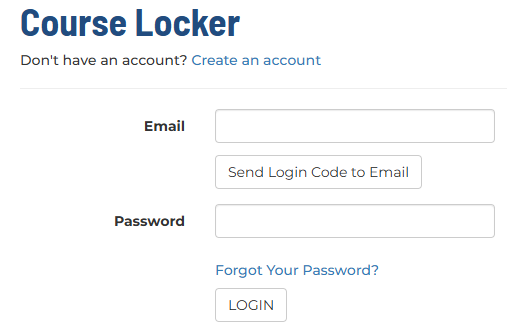
Click LOGIN
You will automatically be taken to your Course Locker
💡 TIP: We recommend BOOKMARKING the Course Locker page for easy access in the future. Click on the Helpful Tip banner to learn how to bookmark your specific browser. Need help on how to? Check out this article.
Need help activating your program? Learn how to here.